To make video louder, drop the clip here, press play to hear the boost live, then export. You get the same format back, louder, and the picture is copied bit for bit. Also, the video itself never leaves your browser. Only the sound track goes to our server, and three exports a day are free.
Same clip, same moment: switch while it plays. The after version is much louder, so start with your volume low.
By The Loudmend team (Product and testing). Last updated .
- In
- -34.2
- Out
- -15.1
How to make video louder in four steps
Drop a video or an audio file on the tool, or pick one from your phone.
Press play and move the volume slider to hear the boost live.
Then choose Boost, Normalize or Voice lift and press the button.
Finally, download the same format, louder, with the numbers shown.
First, your browser loads FFmpeg compiled to WebAssembly. It copies the sound track out of the video without decoding the picture. Then only that sound track travels to our server, where FFmpeg raises it and measures it the EBU R128 way.
After that, the louder sound comes back and goes in next to the untouched picture. As a result, there is no re-render wait and no loss of picture quality. Meanwhile, a peak limiter at -1 dB keeps the loud parts clean while the quiet words come up.
Make video louder, then compare
On the left is the sound of our test clip, a voice recorded across the room. Because it measured -34.2 LUFS, you would turn your speakers all the way up and still miss words.
Then, on the right, is the same clip after Normalize to -14 LUFS. It now measures -15.1 LUFS with the peak held at -0.8 dB. In other words, it gained 19.1 dB without a single clipped peak.
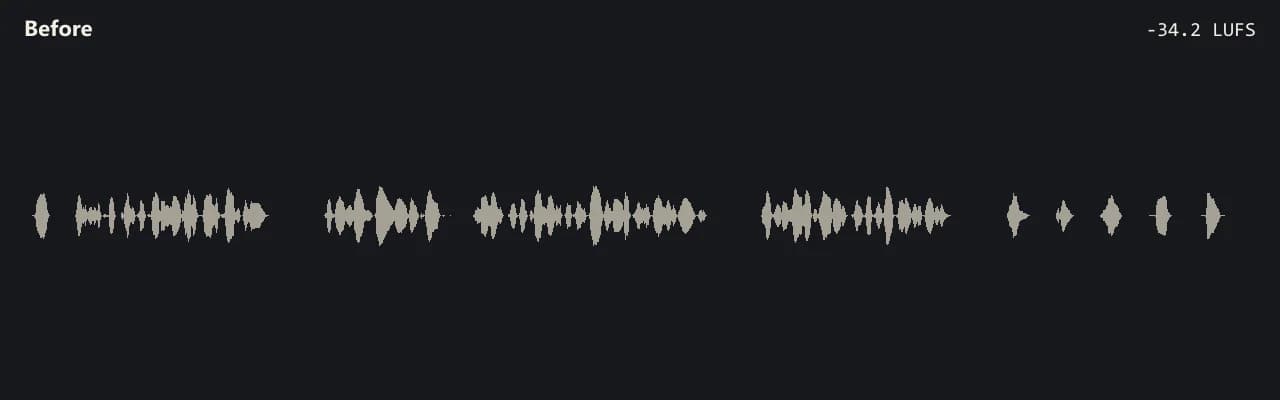
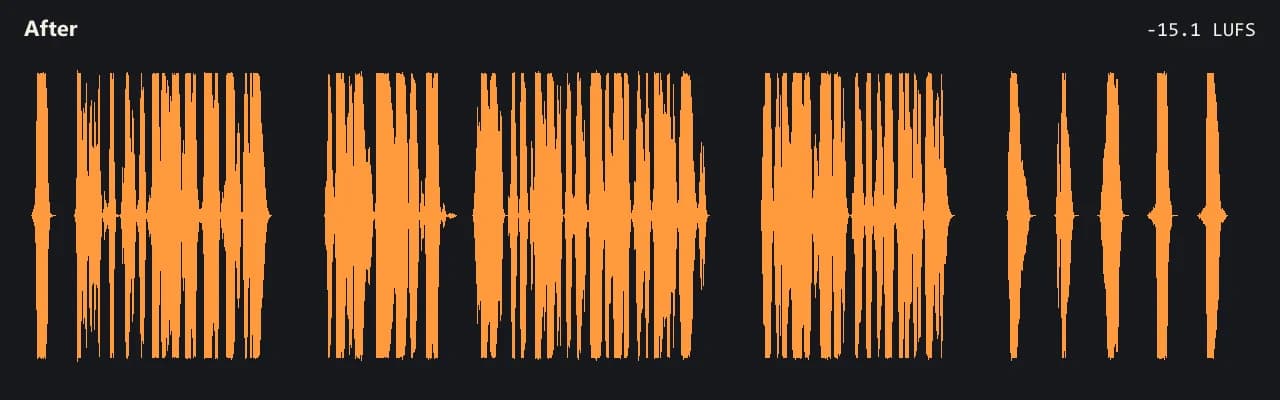
Same clip, same moment: switch while it plays. The after version is much louder, so start with your volume low.
One tool, every format you film in
Scroll through the formats. In short, each card shows what goes in, what comes out, and, where we ran a test file, the measured loudness before and after.

01MP4 video
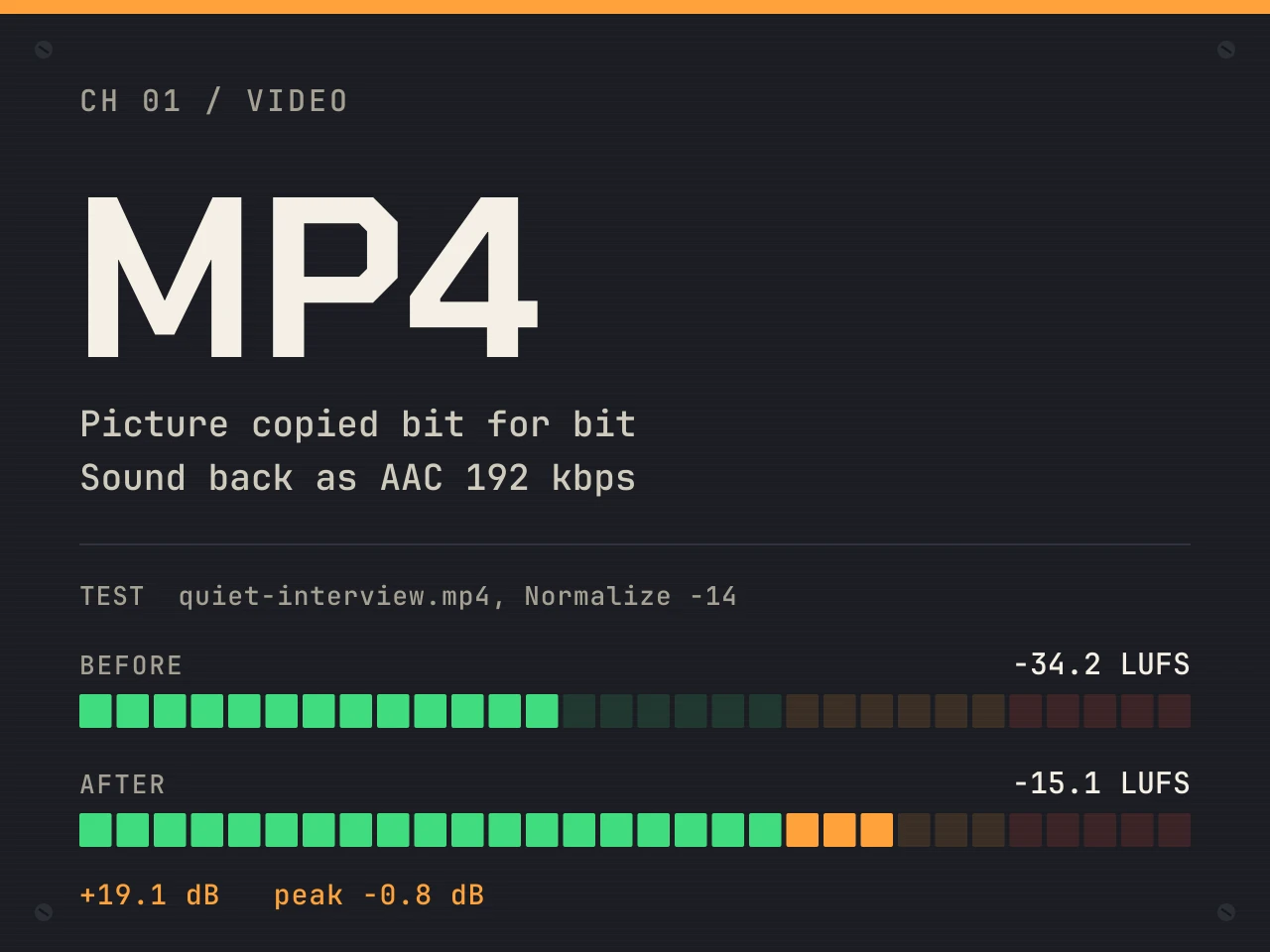
MP4: the picture is copied, the voice comes up 19.1 dB
For example, our quiet interview clip went from -34.2 to -15.1 LUFS with Normalize -14. The H.264 picture was copied bit for bit, and the sound came back as AAC 192 kbps.
Learn more about MP4: the picture is copied, the voice comes up 19.1 dB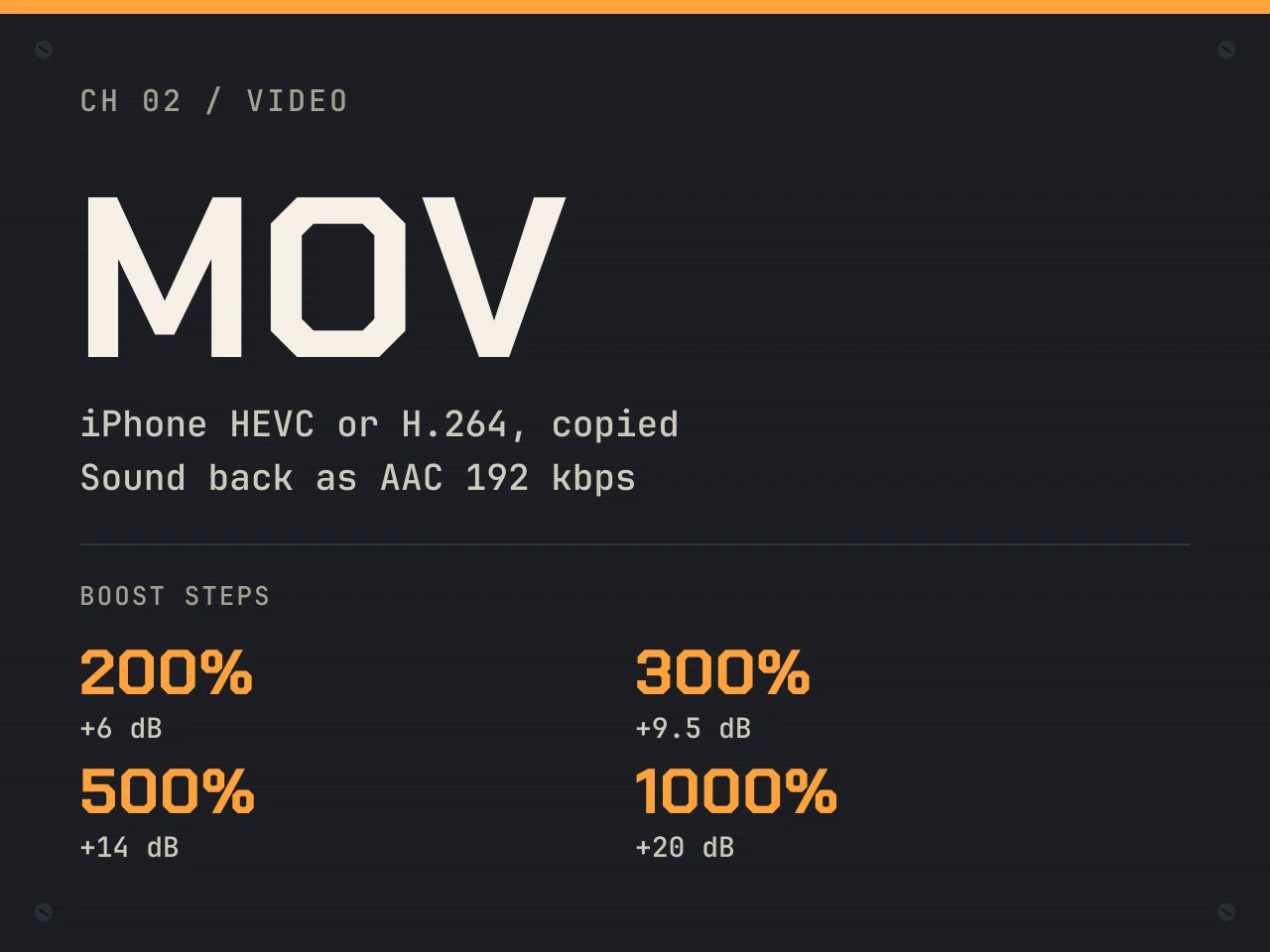

02MOV from an iPhone
MOV: iPhone clips in HEVC or H.264 both work
Because the picture is never decoded, the codec does not matter. In addition, the boost steps are simple: 200% adds 6 dB, 300% adds 9.5 dB and 1000% adds 20 dB.
Learn more about MOV: iPhone clips in HEVC or H.264 both work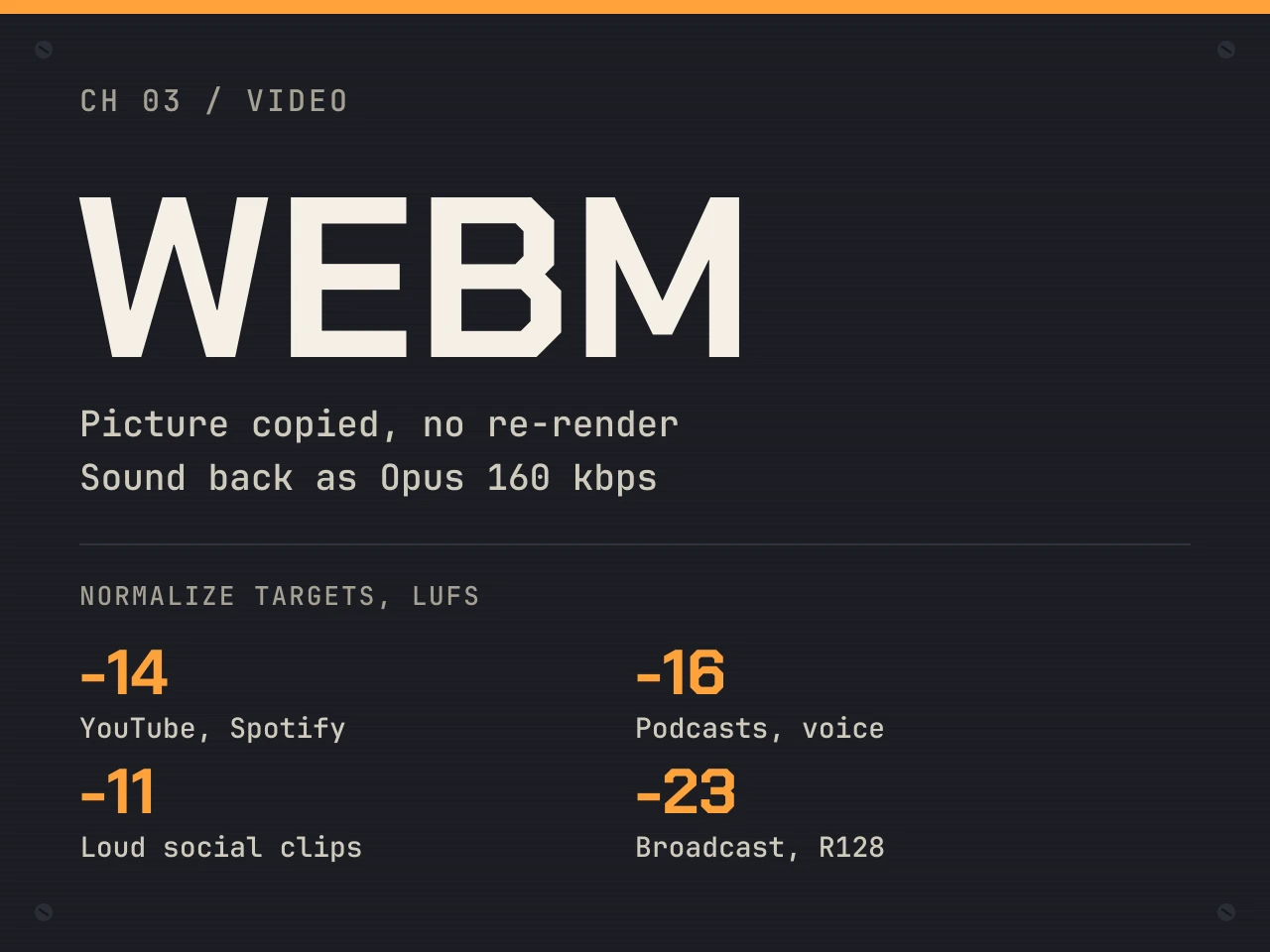

03WebM
WebM: Opus sound, the same container back
Screen recordings and browser clips often come as WebM. Therefore, the louder sound goes back as Opus 160 kbps, and you can hit -14, -16, -11 or -23 LUFS.
Learn more about WebM: Opus sound, the same container back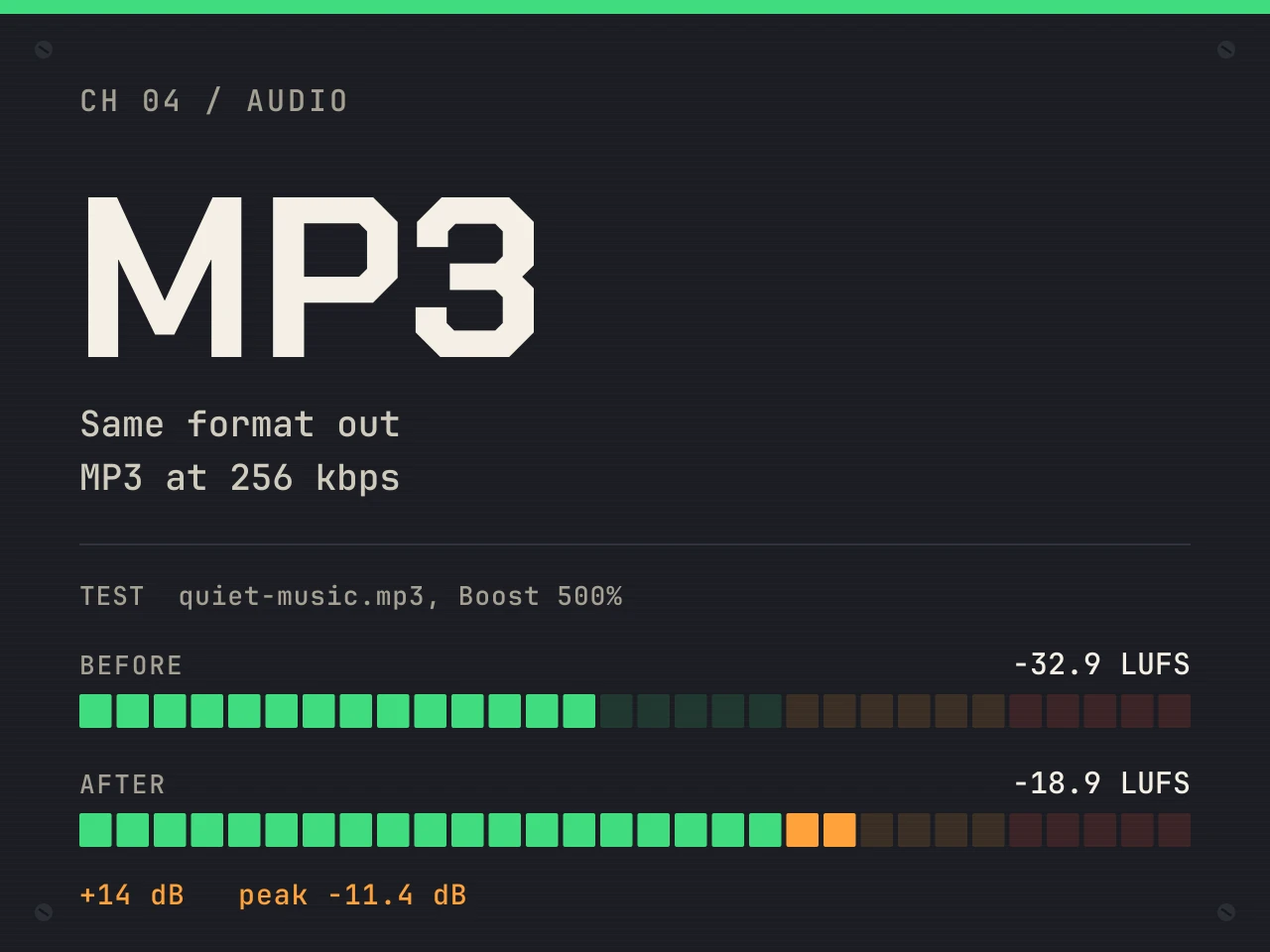

04MP3 audio
MP3: a quiet song gains 14 dB
Our quiet music file measured -32.9 LUFS. Then Boost 500% took it to -18.9 LUFS with the peak at -11.4 dB, saved as MP3 at 256 kbps.
Learn more about MP3: a quiet song gains 14 dB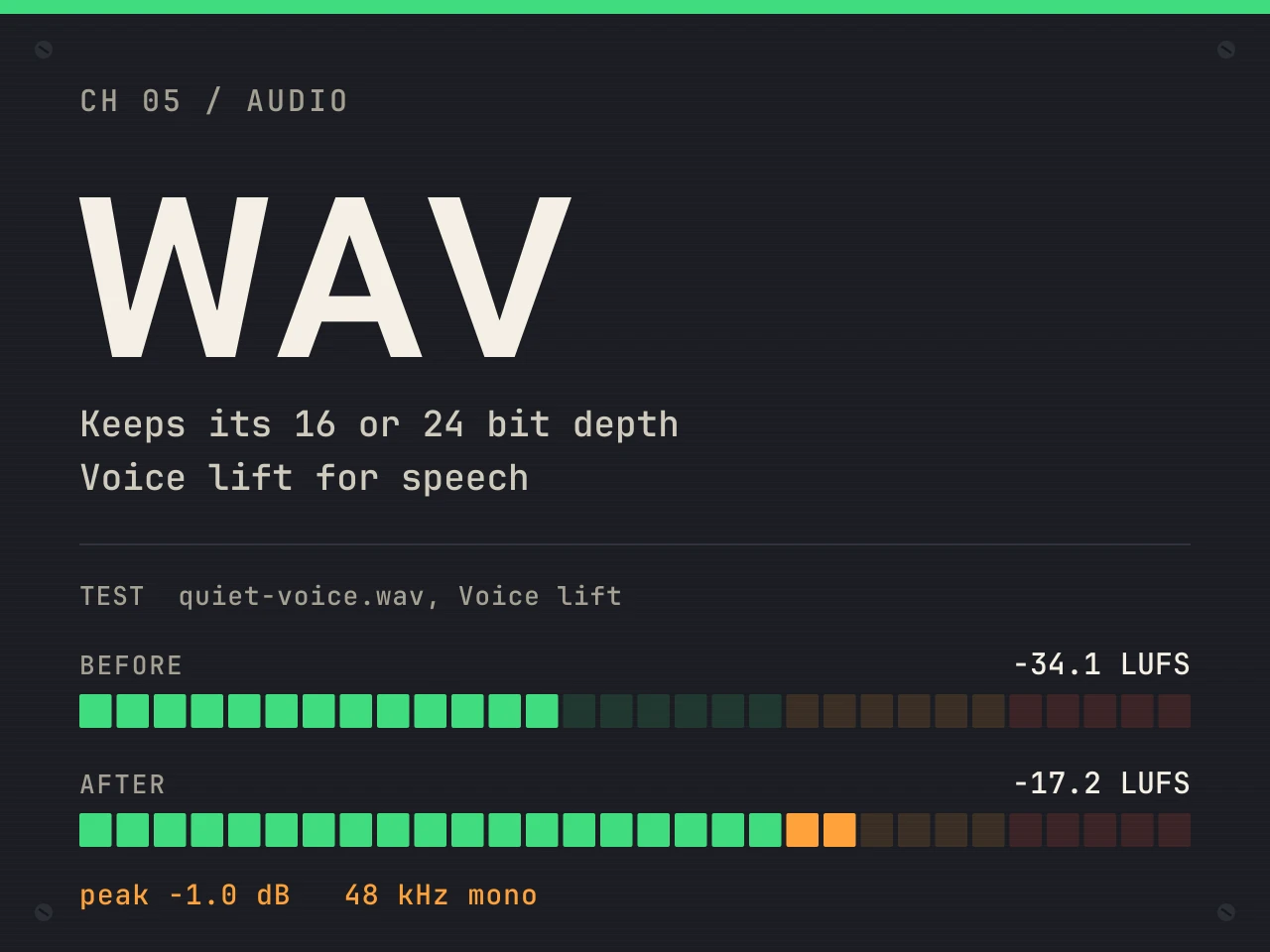

05WAV audio
WAV: Voice lift for a quiet speaker
A quiet voice at -34.1 LUFS came out at -17.2 LUFS with the peak held at -1.0 dB. The WAV keeps its own 16 or 24 bit depth.
Learn more about WAV: Voice lift for a quiet speaker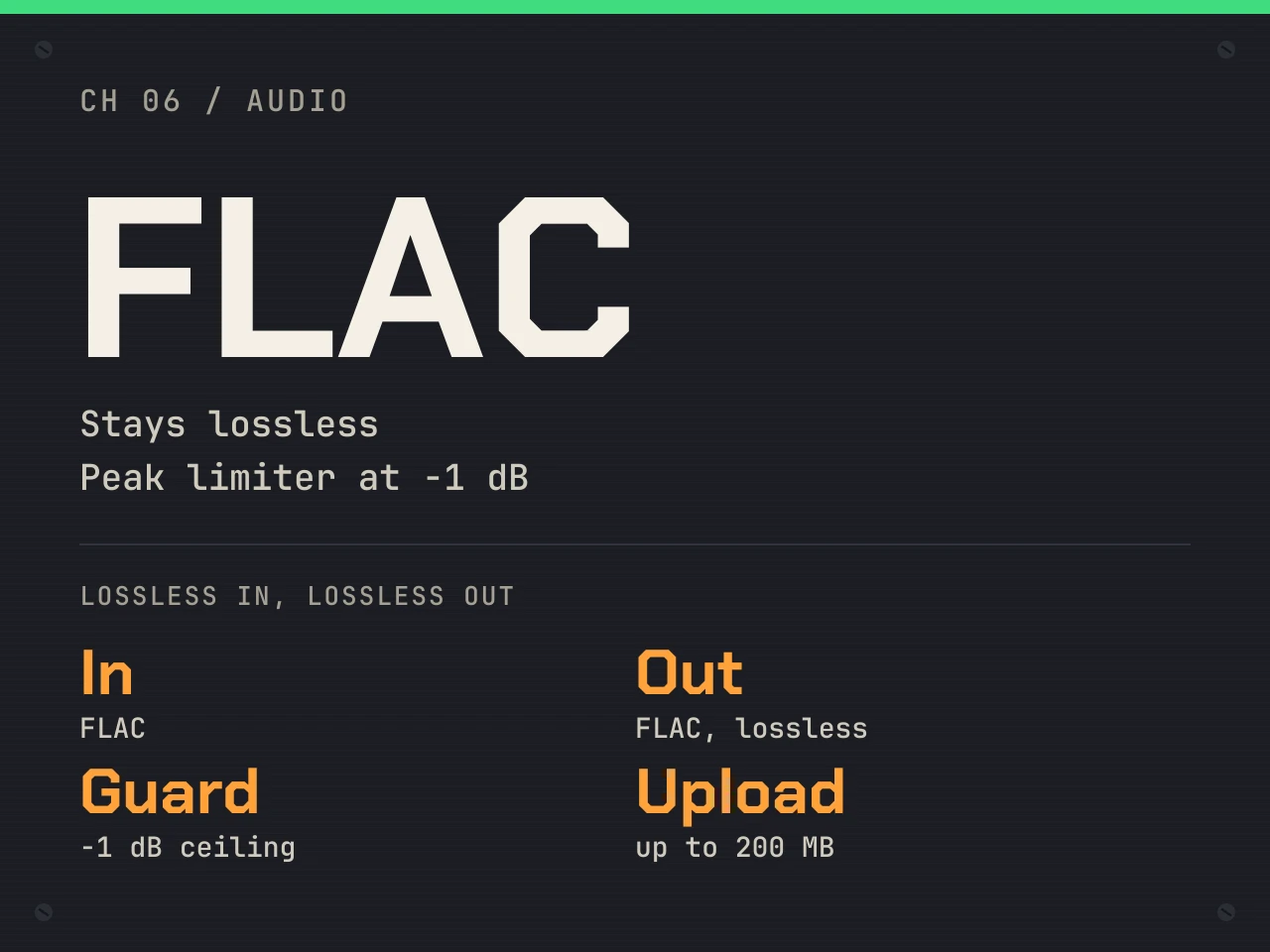

06FLAC audio
FLAC: lossless in, lossless out
Finally, FLAC stays lossless after the boost. The clipping guard, a peak limiter at -1 dB, keeps the loud parts clean while the quiet parts come up.
Learn more about FLAC: lossless in, lossless out
Make your video louder now
First, drop the clip on the tool. Then listen to the boost before you spend anything.
- Peak before
- -14.5 dB
- Peak after
- -0.8 dB
- Length
- 20 s
- Sound out
- AAC 192 kbps
Make video louder and see the numbers
In fact, every export ends with a short readout. As a result, you can see the loudness before and after, the peak, the change in dB and the codec. For example, here is the readout from our quiet interview clip, normalized to -14 LUFS for YouTube.
What goes in and what comes out
| File | What we change | What comes back |
|---|---|---|
| MP4, MOV, M4V, MKV | Only the sound track | Same container, picture copied, sound as AAC 192 kbps |
| WebM | Only the sound track | Same container, picture copied, sound as Opus 160 kbps |
| MP3 | The whole file | MP3 at 256 kbps |
| WAV | The whole file | WAV at the same 16 or 24 bit depth |
| FLAC | The whole file | FLAC, still lossless |
| M4A, AAC, OGG, OPUS | The whole file | Same format: AAC 192 kbps, Vorbis q6 or Opus 160 kbps |
Guides to make video louder on any device
In short, each guide covers one job in detail, from iPhone clips to WAV files, so start with the one that fits your file today.
Pricing
Three exports a day are free with no account, for sound up to 10 minutes and a boost up to 300%. For longer files or a Boost setting past 300%, a credit buys one export of any mode. See the pricing page for details.
- 3 exports a day
- Sound up to 10 minutes
- Boost up to 300%
- All three modes
- No subscription
- Sound up to 3 hours
- Boost up to 1000%
- About $0.10 per export
- Sound up to 3 hours
- Cancel anytime
- About $0.05 per export
- Save 45% vs monthly
- Sound up to 3 hours
- About $0.03 per export
- For editors and teams
- Boost up to 1000%
1 credit = 1 export of any mode. Pack credits never expire. Payments go through Lemon Squeezy, the merchant of record.
When to make video louder, and when it will not help
However, some problems are not about volume. For example, a recording that already clipped sounds flat and crackly, and making it louder cannot bring those peaks back. Likewise, loud background noise rises together with the voice, because noise reduction is a different job.
Also, if you only need louder playback on your own laptop, a player setting or a browser extension is enough. This tool is for a file you send, post or upload. Finally, a video with two sound tracks, such as a dual language film, gets only the first track back.
Make video louder FAQ
How do I make a video louder for free?
Drop the video on the tool at the top of this page, pick Boost or Normalize and export. Three exports a day are free with no account, for sound up to 10 minutes and a boost up to 300%.
Does making the video louder lower the picture quality?
No. The picture is copied bit for bit and never decoded, so it stays exactly as it was. Only the sound track is replaced with a louder one.
Do you upload my video?
No. FFmpeg runs in your browser and copies the sound track out. Only that sound track is uploaded, and our server deletes its copy within 30 minutes.
How much louder can a video get?
Boost goes from 100% to 1000%. For reference, 200% adds 6 dB, 300% adds 9.5 dB and 1000% adds 20 dB. The clipping guard, a peak limiter at -1 dB, keeps loud parts from distorting.
Which loudness should I pick for YouTube or a podcast?
Streaming services such as YouTube and Spotify play music at about -14 LUFS, so Normalize to -14 fits most videos. For podcasts and voice, Apple recommends -16 LUFS.
Can I make an iPhone video louder?
Yes. iPhone videos are MOV or MP4 with HEVC or H.264, and both work because the picture is copied, not decoded. On a phone, keep videos under about 500 MB.
Why is my video still quiet after a boost?
Very peaky audio hits the -1 dB ceiling early. In that case, try Normalize or Voice lift, which raise quiet words more than loud ones, or switch the clipping guard off if you accept some distortion.
Make video louder before you post it
Start with three free exports a day. You only pay for long files or a Boost setting past 300%.